

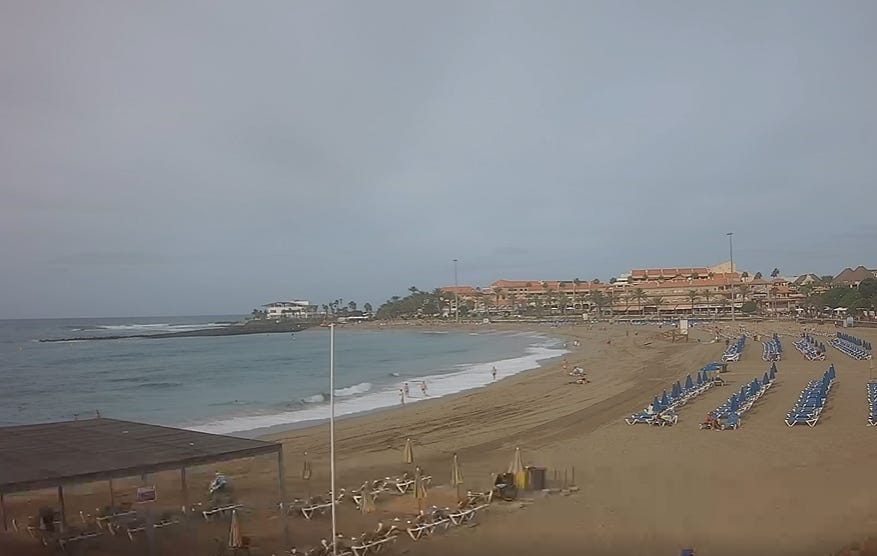
Planning a beach vacation, checking highway traffic or wondering what the weather looks like hundreds of miles away? Live webcams offer a simple way to see what is happening at a destination before leaving home.
Across the United States, publicly accessible cameras capture oceanfront beaches, downtown streets, mountain resorts, highways and popular tourist attractions. Some provide continuous video, while others display photographs that update every few minutes.
These cameras have become useful travel-planning tools. Instead of relying entirely on weather forecasts, tourism photos, or traffic reports, travelers can see actual conditions and make more informed decisions.
The challenge is finding the right cameras. Different locations often use separate websites operated by city governments, transportation agencies, resorts and private businesses.
That’s where TwoVerbs’ Live Webcams directory comes in. The website brings together destination guides, camera sources, local weather information and travel resources, giving visitors one convenient starting point for checking locations across America.
Live Webcams Across America: Four Popular Categories
Not every webcam serves the same purpose. Some help vacationers decide whether to visit a beach. Others let commuters check traffic or offer scenic views of famous destinations.
Four categories are especially useful for travelers.
1. Beach Webcams: Check the Sand, Surf and Crowds
A beach may look perfect in promotional photos, but conditions on the ground can be very different. Strong winds, rough surf, rain and crowded shorelines can change a vacationer’s plans. Beach webcams let visitors check conditions before packing their bags.

Miami Beach, Florida, is a good example.
The resort city’s cameras show popular beach areas, including Ocean Drive and Lincoln Road. Visitors can compare shoreline conditions with activity in nearby shopping and entertainment districts. TwoVerbs features a Miami Beach webcam guide covering several coastal locations, along with local weather and beach information.
Farther north, Ocean City, Maryland, provides another popular destination for coastal webcam viewing.
Ocean City’s beaches, famous boardwalk and busy inlet attract visitors throughout the warmer months. Cameras overlooking these locations can help travelers gauge beach activity and waterfront conditions.
The Ocean City webcam guide on TwoVerbs brings together boardwalk, inlet and bay-area viewing resources.
Beach webcams are particularly helpful when choosing between nearby destinations. A visitor might find cloudy skies at one beach but better conditions farther down the coast.
However, a camera cannot measure dangerous rip currents or confirm that swimming is safe. Always check official beach warnings and local lifeguard advisories before entering the water.
2. City Street Webcams: See Downtown Before You Visit
City webcams offer a different perspective on travel. Instead of looking at beaches or natural scenery, these cameras show downtown streets, pedestrian areas, public squares, and transportation corridors.
They can help visitors answer practical questions. Is the downtown area busy? Has rain moved into the city? Are streets covered in snow? Does a popular waterfront district appear crowded?
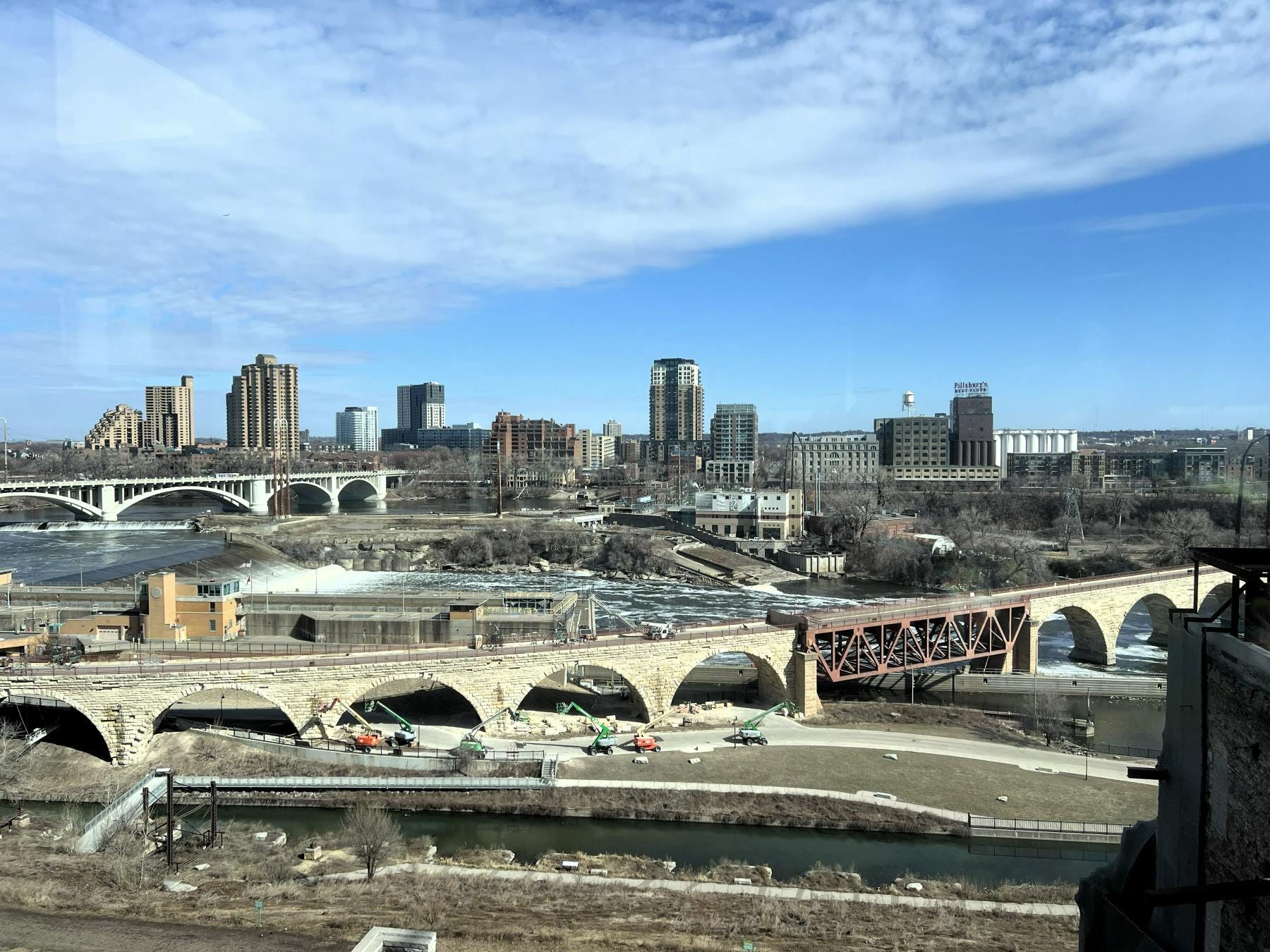
Minneapolis, Minnesota, is particularly useful for this type of viewing.
The Twin Cities experience significant seasonal changes, making visual information valuable during winter storms and periods of heavy traffic.
TwoVerbs maintains a Minneapolis webcam guide featuring traffic-camera locations, weather information, and regional road resources. Other destinations worth checking include Chicago, where skyline and riverfront views can provide a quick look at changing conditions near Lake Michigan. For travelers unfamiliar with a city, these feeds help set expectations before arrival.
A downtown webcam also lets you experience city life remotely. Watching traffic, changing weather, and daily street activity can be entertaining even when no trip is planned.
3. Highway Webcams: Make Smarter Commuting Decisions
Highway cameras may be the most practical type of webcam for everyday use. Transportation agencies across the country operate roadside cameras to monitor traffic and changing road conditions.
Drivers can use these images to check for visible congestion, snow-covered pavement, poor visibility, and other potential problems. In northern states such as Michigan, Minnesota, and Wisconsin, highway cameras become especially valuable during winter.
A driver leaving Minneapolis for a longer trip might compare several cameras along an interstate rather than relying on a single image near home. This approach can help identify whether poor conditions appear limited to one area or extend along a larger portion of the route.
Many states also maintain 511 traveler information systems that provide traffic speeds, construction notices, incident reports and road closures. For example, the Florida Department of Transportation operates FL511.com, which combines traffic cameras with official transportation information.
Road cameras should never replace government travel advisories. A clear-looking roadway does not necessarily mean the entire route is safe. For safety, check camera feeds before driving, or have a passenger review them. Never watch streaming video while driving.
4. Landmark Webcams: Visit Famous Places From Home
Not everyone watching live webcams is preparing for a trip.
Many viewers simply enjoy seeing famous landmarks, waterfronts, mountain scenery, and public attractions. Landmark webcams can show changing seasons, unusual weather, and daily activity at destinations that might otherwise be difficult to visit.
Chicago’s skyline and river corridor offer views of one of America’s best-known urban waterfronts. In Wisconsin, Door County webcams offer views of Lake Michigan harbor communities, ferry docks, and waterfront activity.
Farther west, California’s Big Bear Lake area offers mountain resort views and opportunities to watch wildlife through a bald eagle nest camera. These feeds appeal to families planning future vacations, photography enthusiasts, and people who want to watch familiar places from afar.
They can also be educational. Watching a ferry dock, waterfront or mountain resort over several days shows how weather and seasonal conditions affect daily activity.
Five Steps to Find the Best Live Webcams
Finding useful webcams doesn't require searching through dozens of unrelated websites.
Follow this process before your next trip.
Choose the destination. Start with the city, beach, highway or attraction you want to visit. A specific location usually produces more useful results than a broad regional search.
Open a webcam directory. Visit the TwoVerbs Live Webcams page and search or browse by destination, region, or subject. Its guides organize camera sources and related planning information.
Compare several camera angles. Look for feeds covering different streets, beaches or points along your route. Avoid making decisions based on a single view.
Verify the image is current. Check timestamps, live indicators, and the camera source. Some feeds refresh periodically, and others may display recorded footage.
Confirm official conditions. Review weather forecasts, transportation alerts and local advisories before making a final decision.
This process is particularly valuable when changing weather could disrupt travel plans.
It also helps prevent unnecessary trips to crowded beaches, congested downtown areas or attractions experiencing poor conditions.
When Are Live Webcams Most Useful?
Webcams can provide valuable information year-round, but certain situations make them especially helpful.
Before a beach vacation: Check visible surf conditions, beach activity, and changing weather before deciding where to spend the day.
During winter travel: Compare roadway cameras across several locations to assess visible snow accumulation and reduced visibility.
Before a downtown visit: Review city-center views for weather conditions and signs of unusual congestion.
While planning an outdoor activity: Check mountain, marina, and waterfront views to get a better sense of local conditions.
When watching major weather events: Camera feeds may show changing conditions, but official emergency alerts and forecasts must take priority.
Even without travel plans, webcams offer a convenient way to watch familiar destinations and see what is happening around the country.
Frequently Asked Questions About Live Webcams
Where can I find live webcams across the United States?
TwoVerbs provides a central directory with destination guides covering beaches, cities, waterfronts, mountains, and other locations. Users can search by place or browse regional and subject categories to find available camera sources.
Can live webcams help me avoid traffic?
Traffic cameras can help drivers identify visible congestion and poor road conditions. For reliable route planning, compare several cameras and consult official 511 traffic systems for incidents, road closures, and travel times.
Are live webcams free to watch?
Many public webcams are available for free. However, some camera operators may show ads, require registration, or restrict access.
Can I watch live webcams on my smartphone?
Many webcam websites work on smartphones and tablets. Video playback and compatibility vary by camera provider, and continuous streaming may use substantial mobile data.
What happens when a webcam stops working?
Cameras occasionally go offline because of maintenance, network failures, severe weather, or equipment problems. Try another feed from the same destination or visit the camera operator’s official website.
Final Thoughts: See Your Destination Before You Go
Whether you are heading for a Florida beach, navigating Minneapolis traffic or planning a Great Lakes weekend, live webcams offer a useful look at conditions before you travel.
The biggest benefit comes from comparing several views rather than relying on a single camera.
By combining webcam images with forecasts, transportation reports, and local advisories, travelers can make better decisions about when to leave, which route to take, and what to expect when they arrive.
For anyone searching for live webcams across America, TwoVerbs provides a practical starting point, bringing destination guides and camera resources together in one place.
Before your next trip, check the cameras. A few minutes of viewing can help you make the most of your day.